
How to set mop-only mode?
Aktualisiert am 2025/08/25
1.Opne APP>Click Enter>Click Zone icon>Click yellow icon, mop only, to start cleaning.
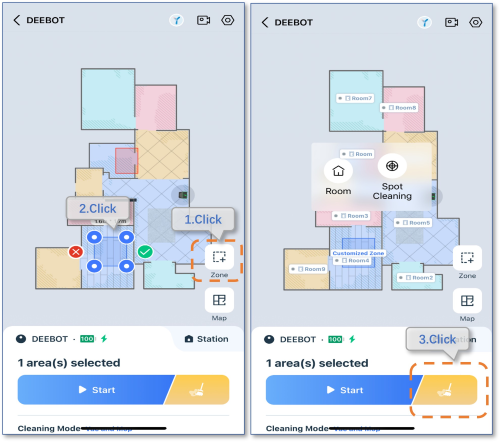
Note: In mop-only mode, only one zone can be drawn, and the area must be less than or equal to 2m*2m.
Operation videos can be found under 'Tutorial Videos'.