DEEBOT
WINBOT
GOAT
Upgrade Program
Support
ECOVACS HOME APP
APP WiFi Connection
About Us
Store
Sign in to Ecovacs
Shopping Cart
How to set mop-only mode?
Updated on 2025/04/28
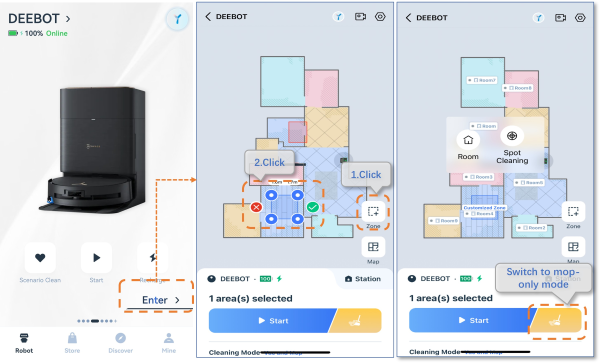
1.Opne APP>Click Enter>Click Zone icon>Click yellow icon, mop only, to start cleaning.
Note:
mop-only mode,only one zone can be drawn, and the area must be less than or equal to 2m*2m.
Was this article helpful?
yes
no
home
support
deebot x9 pro omni
How to set mop-only mode?