How to add disinfectant/heavy-duty cleaning solution?
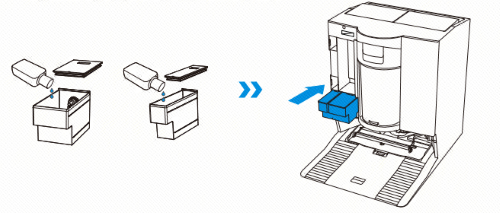
1.Take off the cleaning solution tank's cover, pull out the two cleaning solution boxes, and place them on a level, hard surface.

2. ①The right, bigger box is for disinfectant cleaning solution. Open the lid, add disinfectant cleaning solution, close the lid, and place it back into the station.
②The left one is for heavy-duty cleaning solution. Open the lid, add heavy-duty cleaning solution, close the lid, and reinstall it.3.Return the cleaning solution tank's cover and press the cover firmly to secure it in position.
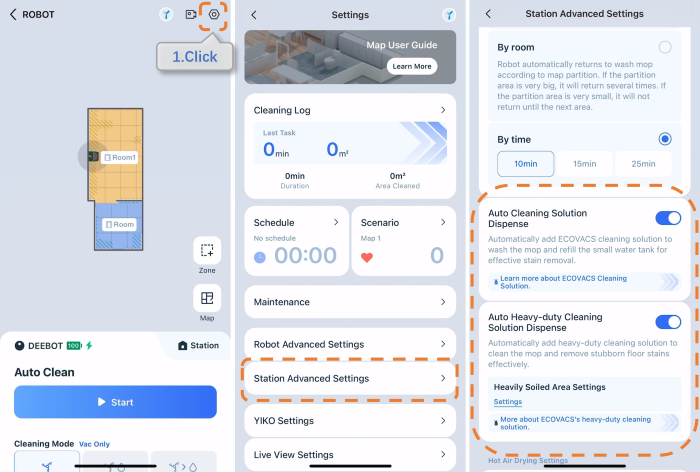
4.Open App>Enter>Settings>Station Advanced Settings>enable Auto Disinfectant/ Heavy-duty cleaning solution dispense. Note: This model features automatic detergent dispensing. You do not need to manually add cleaning solution to the water tank.
Operation videos can be found under 'Tutorial Videos'.